
E-commerce merchants often need to remove unwanted text—such as watermarks, slogans, and promotional messages—from product images to better highlight product features or meet platform guidelines. However, traditional text removal tools can accidentally delete important product information like labels or logos, which could confuse consumers and harm sales.
To help merchants solve this problem, Piclaza has introduced the “product area protection” feature, specifically designed to remove unwanted text from images while protecting important product information, thus improving the efficiency of e-commerce image processing.
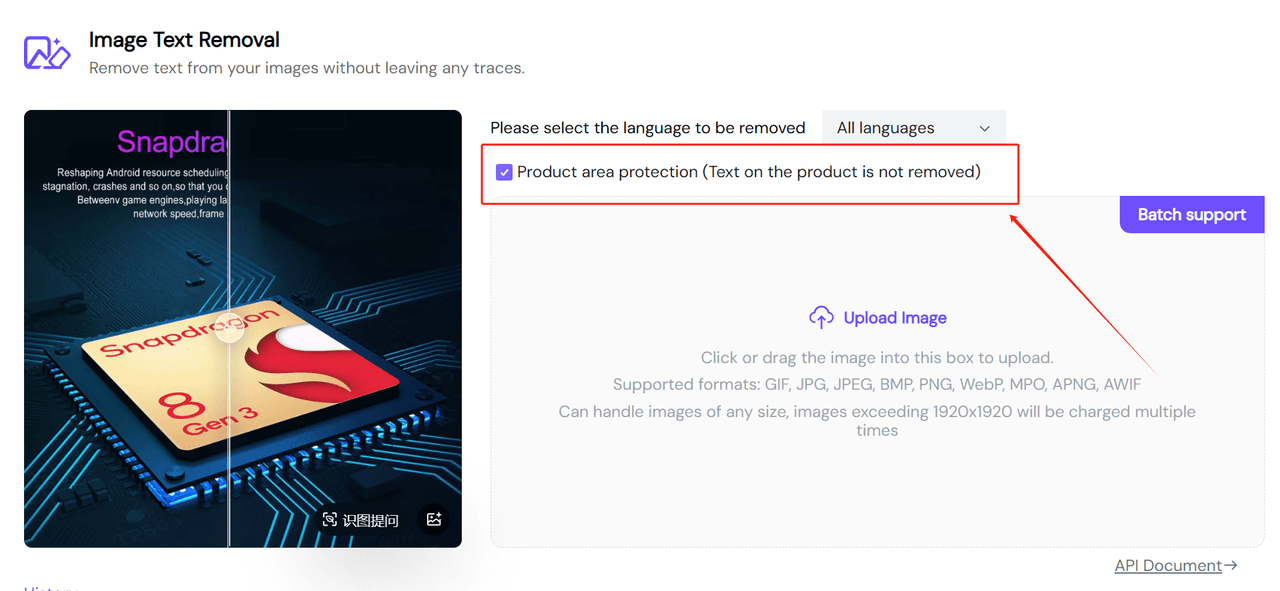
Product Area Protection
Piclaza's product area protection feature focuses on image text removal, intelligently identifying and protecting important product information within the product area while removing unwanted text from images. Below are the key features of this functionality:
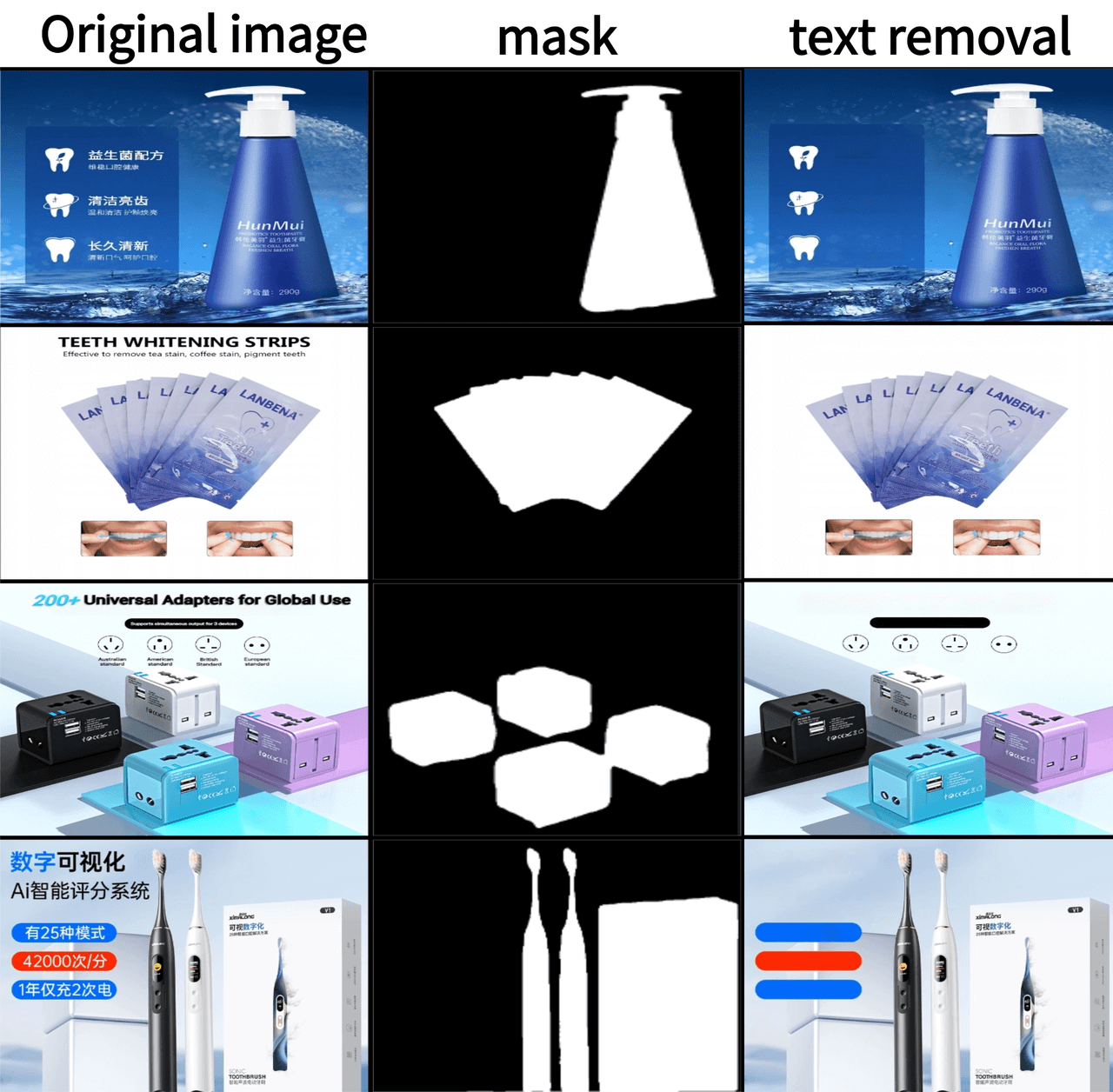
Significant Image Segmentation Technology
When an image is uploaded, the system automatically identifies the product's main area for protection, marking the text areas that need to be protected (such as product labels, logos, model numbers, etc.). This ensures an “accurate removal” + “intelligent recognition” experience for image text removal and image translation.
Supports Batch
Piclaza’s batch processing feature helps merchants process a large number of product images at once. Whether it is removing advertising text in bulk or protecting product area text in bulk, you can easily complete the task without having to process each image individually, saving a significant amount of time and labor. 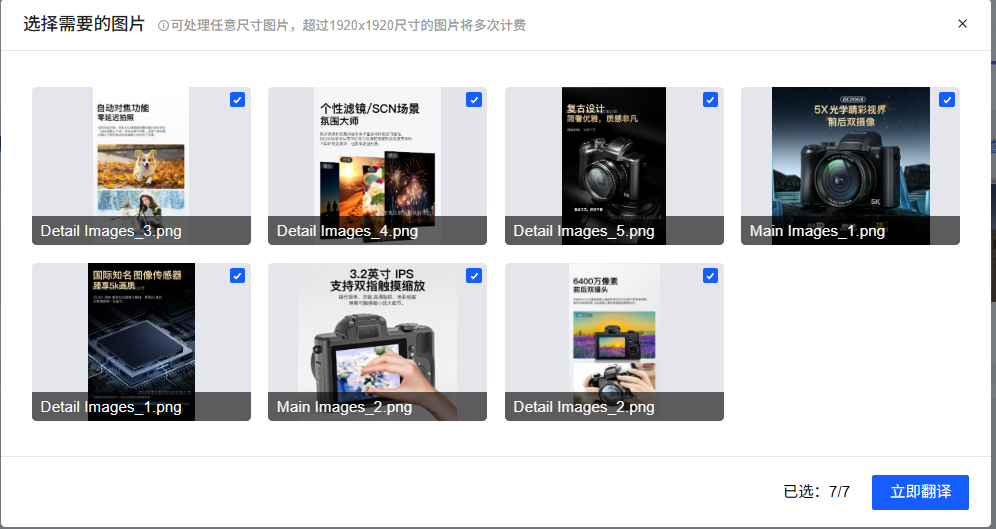
After completing the image text removal and adding new text, merchants can also use Piclaza’s image translation tool to quickly translate the product image content into multiple languages. Whether it's English, French, Spanish, or other languages, Piclaza can help merchants quickly translate product descriptions and advertisements into the target market's language, boosting global competitiveness in cross-border e-commerce.
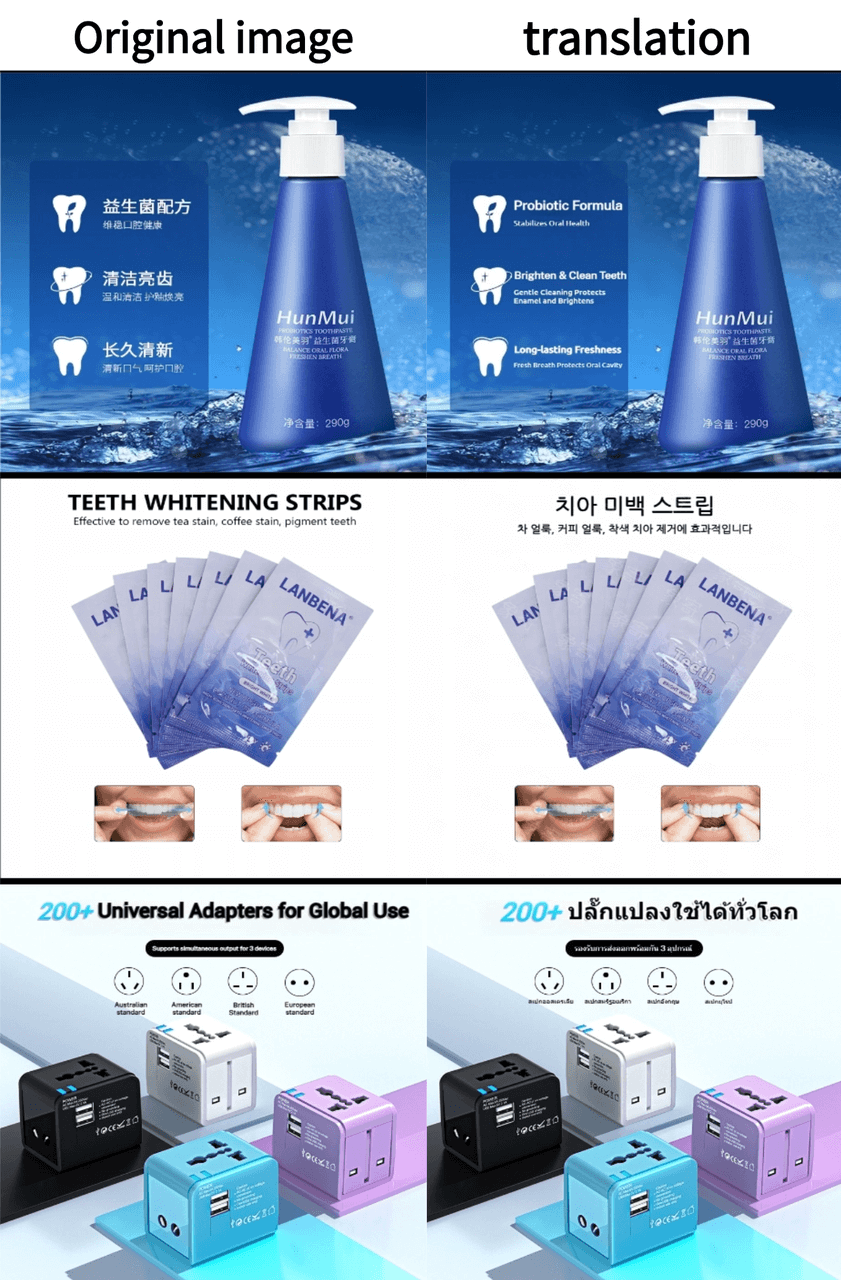
With the product area protection feature, merchants can easily remove unnecessary text from e-commerce images while preserving key product information. This feature plays an important role in enhancing user experience and maintaining brand image.
Quick Summary:
| Feature | Regular Image Processing | piclaza Text Removal |
|---|---|---|
| Text Removal Scope | Removes all text uniformly across the entire image | Intelligently detects product areas and removes only unnecessary text |
| Product Info Protection | Removes all text | Preserves text within product areas |
| Batch Processing Support | Not supported | Supports batch processing, saving time |
If you encounter text interference or occlusion issues in your product images, Piclaza’s “product area protection” feature can help you easily resolve these issues, making your product images more professional and streamlined.